Environment Setup
What You Need
| Tool | Minimum Version | Purpose |
|---|---|---|
riscv64-linux-gnu-gcc | 12.x | Cross-compile xv6 kernel and user programs |
qemu-system-riscv64 | 7.x | Emulate the virt RISC-V board |
make | 4.x | Drive the build |
perl | 5.x | xv6 linker script generation |
node | 18.x | Build this documentation site |
npm | 9.x | Node package manager |
This project was validated with GCC 15.2.1 and QEMU 10.2.2 on Fedora.
Why RISC-V and QEMU
xv6 targets RISC-V because the ISA is clean, open, and well-supported by GCC and QEMU. The privilege levels (U/S/M = User/Supervisor/Machine) map exactly to xv6's user/kernel separation.
QEMU's virt board provides the virtio disk device that xv6 uses for its filesystem. The -bios none flag tells QEMU to jump directly to the kernel ELF without a BIOS ROM, which is what xv6's linker script expects.
Install the Toolchain
Fedora / RHEL
sudo dnf install -y \
  make gcc perl python3 bc \
  qemu-system-riscv-core \
  gcc-riscv64-linux-gnu \
  binutils-riscv64-linux-gnu \
  nodejs npm
Ubuntu / Debian
sudo apt-get install -y \
  make gcc perl bc \
  qemu-system-misc \
  gcc-riscv64-linux-gnu \
  binutils-riscv64-linux-gnu \
  nodejs npm
Verify
riscv64-linux-gnu-gcc --version
# riscv64-linux-gnu-gcc (GCC) 15.2.1 ...

qemu-system-riscv64 --version
# QEMU emulator version 10.2.2 ...

node --version   # v22.x or later
npm --version    # 10.x or later
Build xv6
cd xv6-security

# Clean any stale objects
make clean

# Build kernel, user programs, mkfs, and fs.img
make
A successful build prints something like:
...
riscv64-linux-gnu-objcopy -S -O binary .obj/kernel kernel/kernel
riscv64-linux-gnu-objcopy -S -O binary .obj/user/_compliance_test user/_compliance_test
...
Modern binutils warn about ELF segments with RWX permissions, which xv6 deliberately uses. The Makefile suppresses these with -no-warn-rwx-segments. If you see this warning on an older toolchain that ignores the flag, it is harmless.
Boot xv6 in QEMU
make qemu
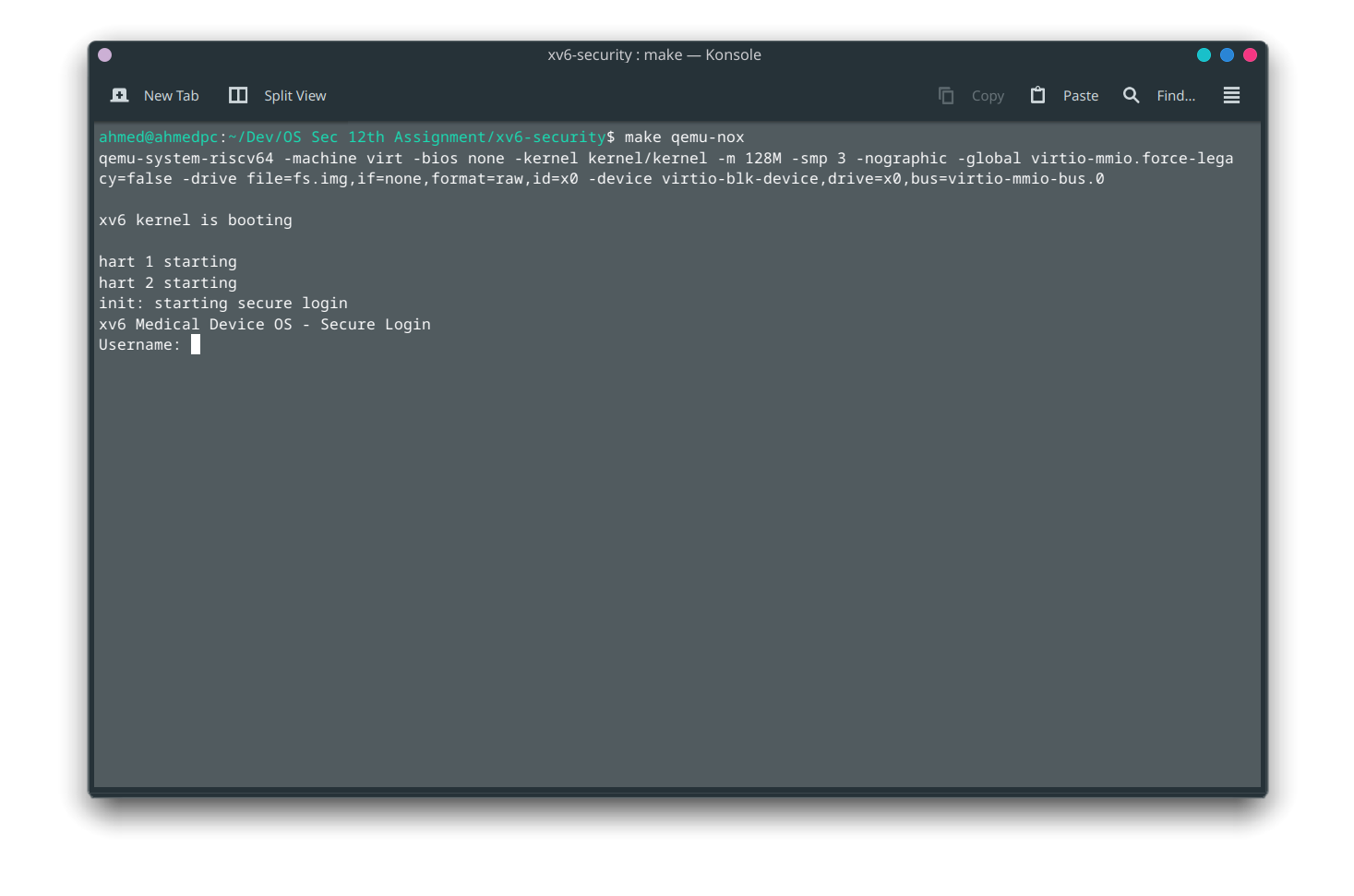
QEMU launches and xv6 prints its boot banner, then the login prompt:
xv6 kernel is booting

login:
Type your username and password:
login: admin
password: admin123
$
QEMU Flags Explained
The Makefile passes these flags to QEMU:
| Flag | Meaning |
|---|---|
-machine virt | Use the generic RISC-V virt board |
-bios none | No BIOS: jump directly to the kernel |
-kernel kernel/kernel | Load the kernel ELF |
-m 128M | Allocate 128 MiB of RAM |
-smp 3 | Simulate 3 SMP cores (CPUs) |
-nographic | No graphical window, serial on stdio |
-drive file=fs.img,... | Mount the filesystem image |
Stopping QEMU
Press Ctrl-A then X (release Ctrl-A first, then press X).
Do not press Ctrl-C: that sends SIGINT to the QEMU process tree and may leave your terminal in a bad state.
Build the Docs Site
cd docs
npm install
npm run build    # produces docs/build/
npm run serve    # local preview at http://localhost:3000
Troubleshooting
| Symptom | Likely cause | Fix |
|---|---|---|
make: riscv64-linux-gnu-gcc: No such file or directory | Toolchain not installed | Run sudo dnf install gcc-riscv64-linux-gnu |
qemu-system-riscv64: command not found | QEMU not installed | Run sudo dnf install qemu-system-riscv-core |
mkfs: fs.img write error | Stale image | make clean && make |
| Login prompt not appearing | QEMU not loading kernel | Check kernel/kernel file exists after build |
npm run build fails | Missing node_modules | Run npm install first |
No output from the grep command means the quality gate passed.

Boot xv6 with:

```bash
make qemu-nox
The target reuses xv6's nographic QEMU mode, so the login prompt appears directly in the terminal.
Common Pitfalls
Some xv6 guides mention make qemu-nox, while this xv6 snapshot originally provided only make qemu. This project adds qemu-nox as a compatibility alias.
Package names differ by distribution. Fedora uses binutils-riscv64-linux-gnu; other distributions may package the same tools under a different name.
Do not commit generated build artifacts such as fs.img, kernel/kernel, object files, or generated user binaries. They are ignored and should be rebuilt locally.